
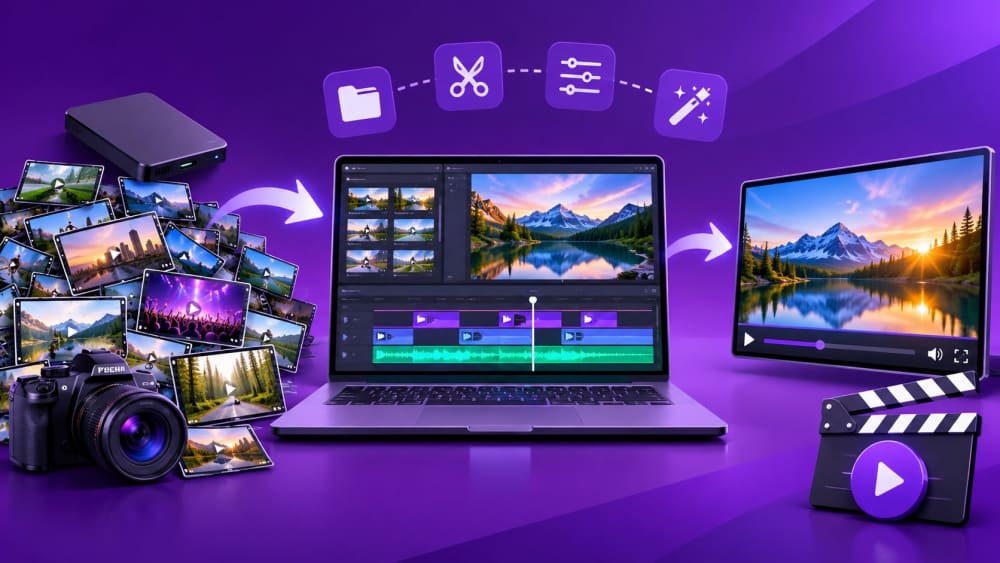
How to Organize Hours of Raw Footage Into a Clear Video Story
Recording a business video, interview, or YouTube project can produce hours of footage, even when the final video only needs to be a few minutes long. Multiple takes, unfinished sentences, unexpected interruptions, and supporting shots often make it difficult to identify where the story begins.
The challenge is not simply shortening the recording. Editors must decide which moments communicate the message clearly and how those moments should connect. With AI-assisted tools such as invideo editor, production teams can reduce repetitive footage review and assembly work while keeping control over the story and the editing timeline.
1. Start With a Clear Story Direction
Before reviewing every recording, editors should understand what the finished video needs to communicate. Without a clear direction, even well-organized footage can become a collection of unrelated scenes.
A business testimonial might focus on a customer's problem, the solution they discovered, and the results they experienced. A product demonstration may follow a different structure, introducing a challenge before showing how the product works.
Identifying the main message helps editors distinguish essential footage from material that adds little value. It also provides a reference when deciding whether to keep or remove a scene.
2. Organize Recordings Before Selecting Clips
Large video projects often contain multiple camera files, audio recordings, repeated takes, and supporting visuals. Starting the edit without organizing these assets can create unnecessary confusion.
Editors should group files by recording session, scene, camera angle, or content type. Clear file names also help identify footage when a project needs revisions.
For example, a marketing team producing a company introduction video might separate employee interviews, workplace footage, product demonstrations, and introductory shots.
This organization makes it easier to locate relevant material and prevents editors from repeatedly searching through the same recordings.
3. Identify the Strongest Takes and Useful Moments
Not every recorded take belongs in the finished video. A speaker may repeat an answer several times before delivering a version that sounds natural and communicates the intended point.
Editors need to compare these recordings and identify the clearest performances.
The strongest take is not always the most polished one. In an interview, a slightly imperfect response may feel more genuine than a rehearsed answer.
For marketing videos, clarity, relevance, and authenticity should guide the selection process. Editors should also note useful supporting footage that could strengthen the main narrative.
4. Remove Repetition Without Losing Meaning
Repeated explanations, false starts, and unnecessary pauses can make a video feel longer than it needs to be. However, removing too much material may change the speaker's meaning or create unnatural transitions.
Editors should distinguish between repetition that adds no value and details that help viewers understand the topic.
A business owner might explain the same customer problem in three different ways. Keeping the clearest version can improve the video's flow without sacrificing important information.
The objective is to remove distractions while preserving the personality and context that make the story convincing.
5. Assemble a Complete First Cut on the Timeline
Once the strongest footage is identified, the next step is arranging it into a continuous video. This initial sequence establishes the story's beginning, development, and ending before detailed finishing work begins.
In invideo editor, rough cut editing starts with uploading raw footage and describing how the material should be organised. An AI editing agent can review the recordings, select usable takes, remove obvious mistakes and repetition, and assemble a complete first cut on an editable timeline.
For example, a marketing team can ask the agent to organise an interview around the customer's initial challenge, experience, and final outcome.
The resulting rough cut is not a finished video or a highlights reel. It provides a complete starting sequence that editors can inspect, rearrange, and refine.
6. Improve the Story's Flow and Pacing
A complete first cut reveals how individual scenes work together. Some sections may feel rushed, while others contain explanations that slow the story unnecessarily.
Editors should review the sequence from the audience's perspective and consider whether each transition makes sense.
For instance, a product video may move too quickly from identifying a problem to demonstrating a solution. Adding a short explanation or adjusting the order of clips can make the message easier to follow.
Pacing should reflect the video's purpose. An educational tutorial may need more breathing room than a short promotional video.
7. Add Supporting Footage Where It Improves Clarity
Talking-head videos and interviews often benefit from supporting footage that illustrates what the speaker is describing.
A company profile might combine employee interviews with workplace scenes, customer interactions, and product demonstrations. These visuals help viewers connect the narration to real activities.
In invideo editor, editors can search for relevant moments within their uploaded footage and continue refining how supporting clips fit the main sequence.
However, adding more footage does not automatically improve a video. Every supporting shot should contribute to the message, establish context, or make a transition clearer.
8. Review the Complete Video Before Finalising
After the story is assembled, the editor should watch the entire sequence rather than checking individual clips in isolation.
This review helps identify missing context, repeated ideas, awkward cuts, and sections that no longer support the intended message.
Audio consistency, visual continuity, captions, and overall pacing can then be refined.
For business videos, it is also important to verify that the edit accurately represents products, customers, and company claims. A technically smooth sequence still needs to communicate the right information.
A final review should answer one question: can someone unfamiliar with the original recordings understand the story without additional explanation?
Conclusion
Organizing hours of raw footage requires more than sorting files and removing unwanted clips. Editors must identify meaningful moments, establish a clear sequence, and refine the pacing until the story makes sense.
AI-assisted editing can simplify the repetitive work involved in reaching that first complete cut. With invideo editor, businesses and creators can delegate footage review and initial assembly to AI agents while retaining control over the editable timeline. The result is a more manageable production process built around clearer storytelling and thoughtful editorial decisions