
From Two Hours of Podcast Footage to One Clean Episode: The Editing Process Explained
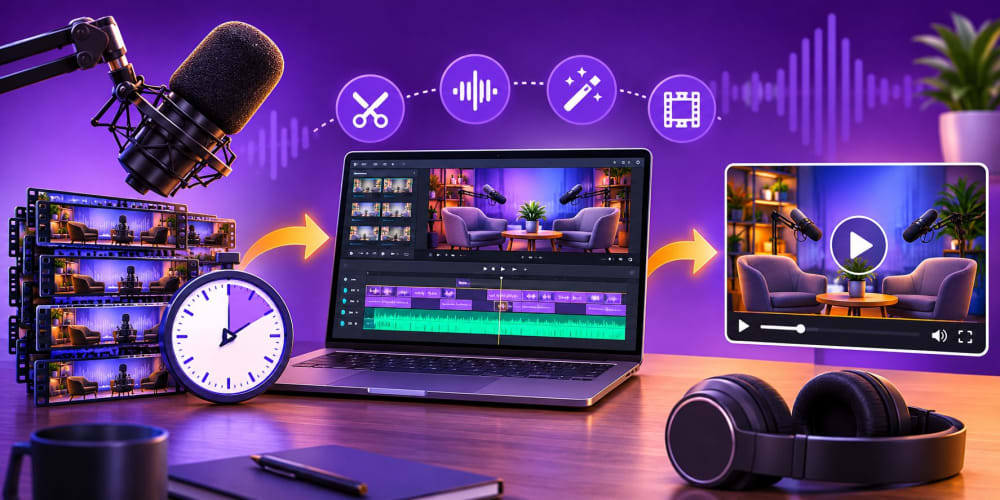
Recording a two-hour video podcast is only the beginning of production. Before publishing, editors must review conversations, synchronize camera angles, remove repeated answers, improve audio, and arrange the strongest moments into a coherent episode. Much of this work happens before creative decisions about pacing and presentation can begin.
For businesses producing interviews, educational podcasts, or branded conversations, an efficient editing process makes regular publishing easier. AI-assisted tools such as invideo editor help handle repetitive work while keeping the episode on an editable timeline, allowing teams to focus on clarity, storytelling, and the final viewing experience.
1. Organize Raw Podcast Footage Before Editing
A long podcast recording often includes footage from multiple cameras, separate microphone tracks, and additional media such as introductions or promotional clips. Organizing these files is the first step toward a manageable edit.
Editors should identify the main recording, confirm that audio and video files are complete, and separate supporting assets from the original footage.
Clear file names and a consistent project structure make it easier to locate material during revisions. This becomes particularly important when a business records several episodes in one session or works with external production teams.
Starting with organized footage reduces confusion later, especially when different versions of the same recording need to be reviewed.
2. Synchronize Camera Angles and Audio Recordings
Multi-camera podcasts require precise synchronization. If cameras and microphones were recorded separately, even a small timing difference can make conversations appear unnatural.
Editors typically align the recordings using shared audio or synchronization points, then check whether the timing remains consistent throughout the episode.
For example, a business interview recorded with three cameras may include a wide shot, a host close-up, and a guest close-up. Each angle needs to match the same dialogue before the editor begins switching between speakers.
AI editing agents can reduce manual synchronization work, but the resulting sequence still needs review for audio drift, mismatched reactions, and distracting camera changes.
3. Identify Repeated Answers, Fillers, and Unnecessary Pauses
A two-hour conversation rarely consists of uninterrupted, publication-ready dialogue. Speakers may restart sentences, repeat an explanation, pause to check notes, or discuss something that does not belong in the final episode.
Reviewing these moments is one of the most time-consuming parts of podcast editing.
The goal is not to eliminate every hesitation. Natural pauses can make an interview feel thoughtful, while removing too much dialogue may create abrupt transitions or change the speaker's intended meaning.
Editors should identify sections that genuinely interrupt the conversation and preserve the exchanges that provide context, insight, or personality.
4. Build the First Complete Cut From the Recording
Once the recordings are synchronised and unnecessary material is identified, the next step is assembling a complete first cut. This is the first continuous version of the episode, with usable dialogue arranged in order and obvious mistakes removed.
For teams using invideo editor as their podcast editor, AI agents can synchronize camera angles, remove fillers and extended silences, clean up voices, and assemble an editable base cut on a multitrack timeline. Editors can then inspect the sequence, restore important moments, and adjust the conversation's flow.
Unlike a collection of highlight clips, a base cut covers the episode from beginning to end. It provides a practical starting point for detailed editing rather than pretending the first automated result is ready to publish.
5. Improve Episode Pacing Without Losing the Conversation
A clean first cut still needs attention to pacing. Some sections may move too slowly, while others need more space for viewers to understand an important point.
Business podcasts often include detailed explanations, personal examples, and longer answers. Removing all pauses may make these conversations feel rushed or unnatural.
Editors should review transitions between topics and consider whether each section contributes to the episode's purpose.
A useful approach is to watch the cut as a first-time viewer would. If a topic changes abruptly, the editor may need to restore a short exchange or adjust the surrounding sequence.
Effective pacing keeps the conversation engaging without sacrificing the speaker's meaning.
6. Clean Up Dialogue and Balance Audio Levels
Clear dialogue is essential for a professional podcast. Background noise, inconsistent microphone levels, and sudden volume changes can distract listeners even when the conversation is interesting.
Audio post-production usually involves reducing unwanted noise, balancing voices, and ensuring transitions between speakers sound consistent.
In invideo editor, AI agents can assist with dialogue cleanup while editors continue refining the audio mix on the timeline.
For example, a host speaking close to the microphone may sound louder than a guest seated farther away. Balancing their levels helps listeners follow the discussion comfortably.
Editors should also listen for unnatural processing, clipped words, and abrupt changes in room sound after removing sections of dialogue.
7. Review Camera Changes and Visual Continuity
Once the dialogue and audio are in good shape, editors can focus on the visual presentation.
In a multi-camera interview, switching angles should support the conversation rather than simply create movement. A close-up may emphasize an important response, while a wider shot can establish the interaction between speakers.
Editors should watch for cuts that interrupt gestures, mismatched facial expressions, or sudden changes in lighting and colour.
For example, switching to the guest during a question may look awkward if the guest is still preparing to respond. Holding the host's angle slightly longer can make the transition feel more natural.
Visual review ensures that the video feels like a coherent conversation rather than a series of disconnected shots.
8. Prepare the Finished Episode and Social Media Clips
After the main edit is approved, the episode needs a final review before publication. Editors should check opening and closing sequences, captions, audio consistency, and any graphics or supporting footage.
The full recording can also provide shorter clips for platforms such as YouTube Shorts, Instagram Reels, and TikTok.
With invideo editor, teams can refine the complete podcast and prepare shorter versions from the same editing project. However, each clip should communicate a clear idea independently rather than simply begin and end at arbitrary points.
A short excerpt that contains a useful answer, practical insight, or memorable exchange is more likely to make sense to viewers who have not watched the full episode.
Conclusion
Turning two hours of podcast footage into a clean episode requires more than removing mistakes. Editors must coordinate cameras, shape the conversation, improve audio, and review the finished sequence carefully.
AI-assisted workflows can reduce the repetitive work involved in reaching that first complete cut. With invideo editor, businesses can delegate initial assembly and cleanup to editing agents while keeping control of the timeline and final decisions. The result is a more manageable production process that preserves the clarity and natural flow of the original conversation.